hue. is a paint by number app for relaxing creative play on iPhone and iPad.
hue.Paint by Number for iPhone and iPad
Creative coloring
A calmer way to color.
Paint beautiful artwork one satisfying tap at a time. hue. brings curated paint-by-number scenes to a touch-friendly canvas with smooth zoom, smart palettes, animated fills, and saved progress.
41 paintingsNo adsNo trackingLocal progress
Features
Built for relaxed, finishable painting
hue. keeps the canvas beautiful from far away and readable up close.
Curated artwork
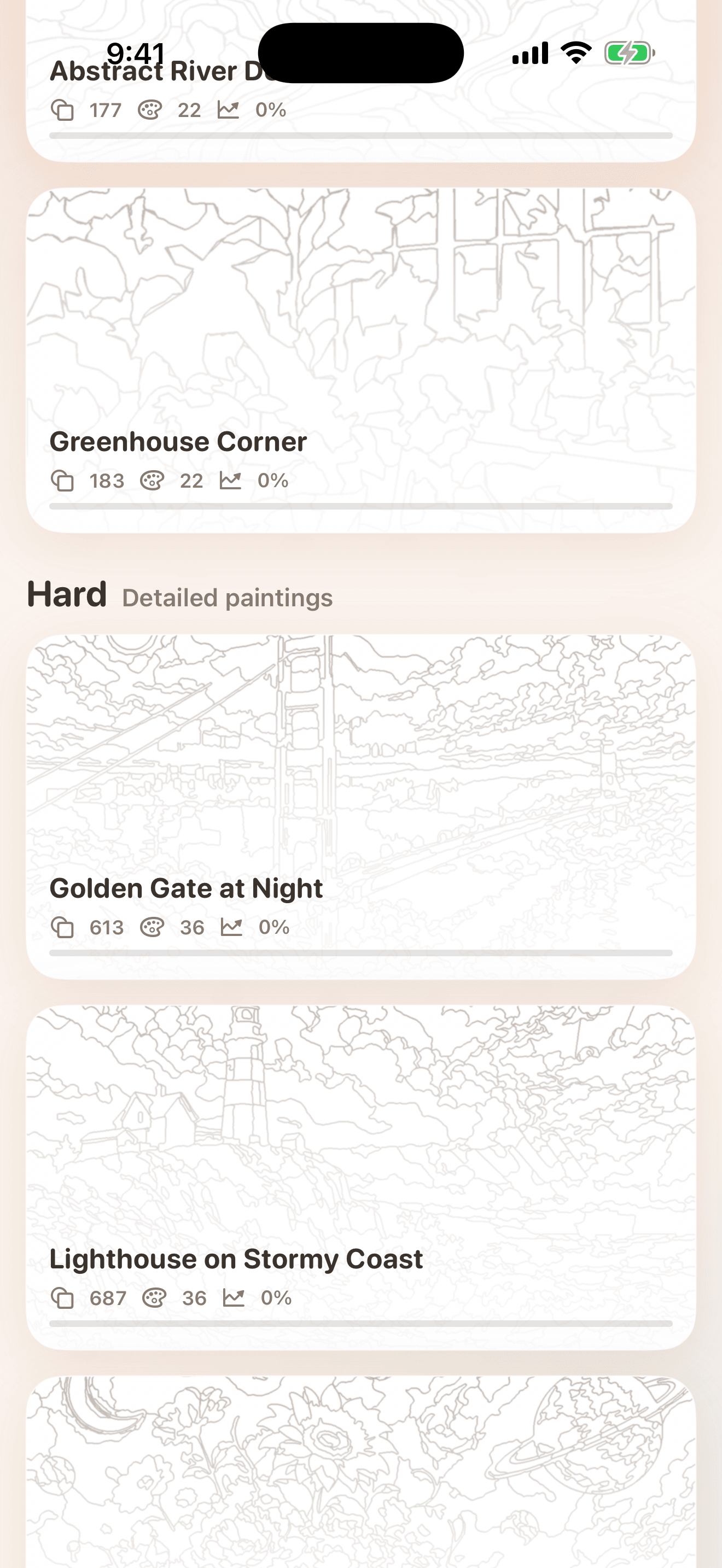
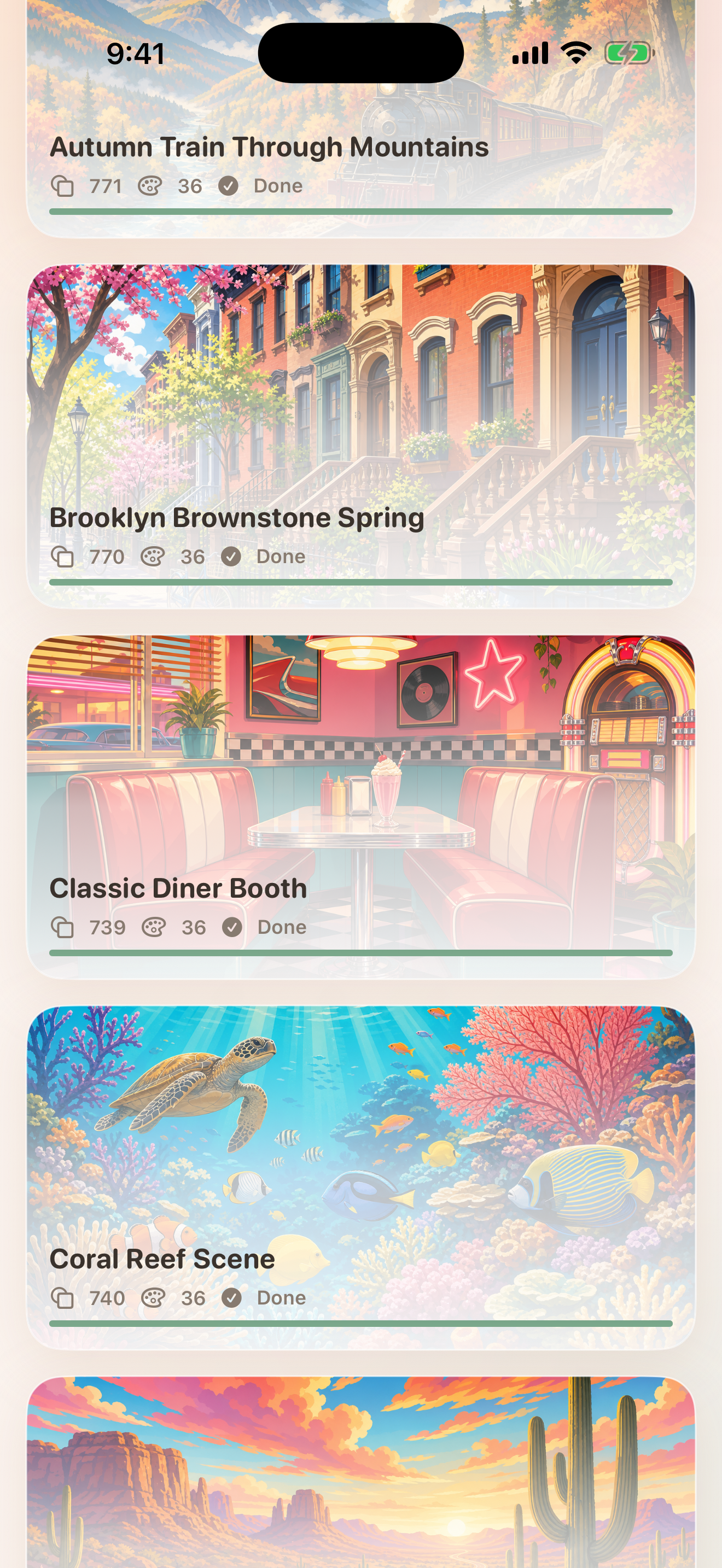
Start with 41 paintings across Easy and Hard sections, from approachable starter pieces to detailed scenes with hundreds of regions.
Animated color fills
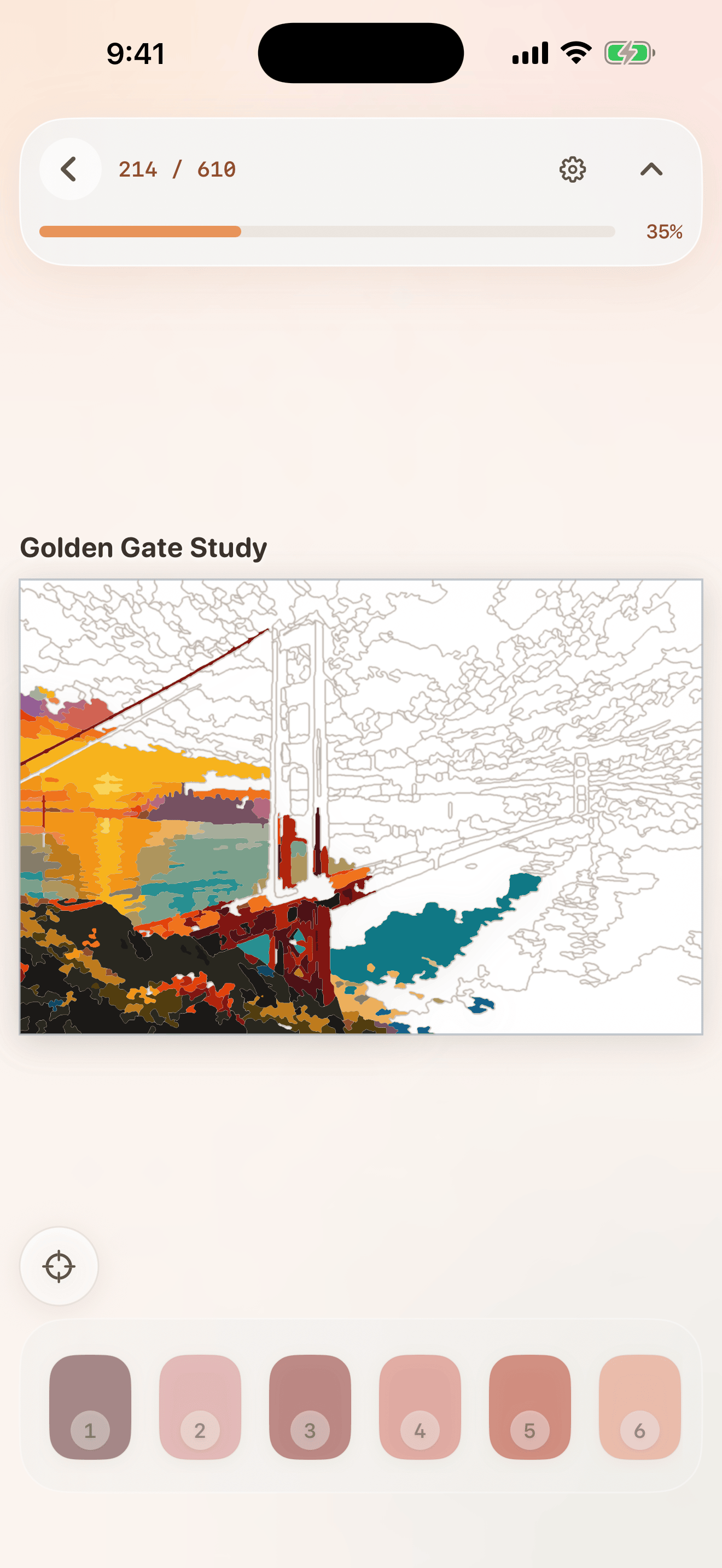
Tap a region and watch the color bloom into place, making each piece feel tactile and rewarding.
Dynamic number labels
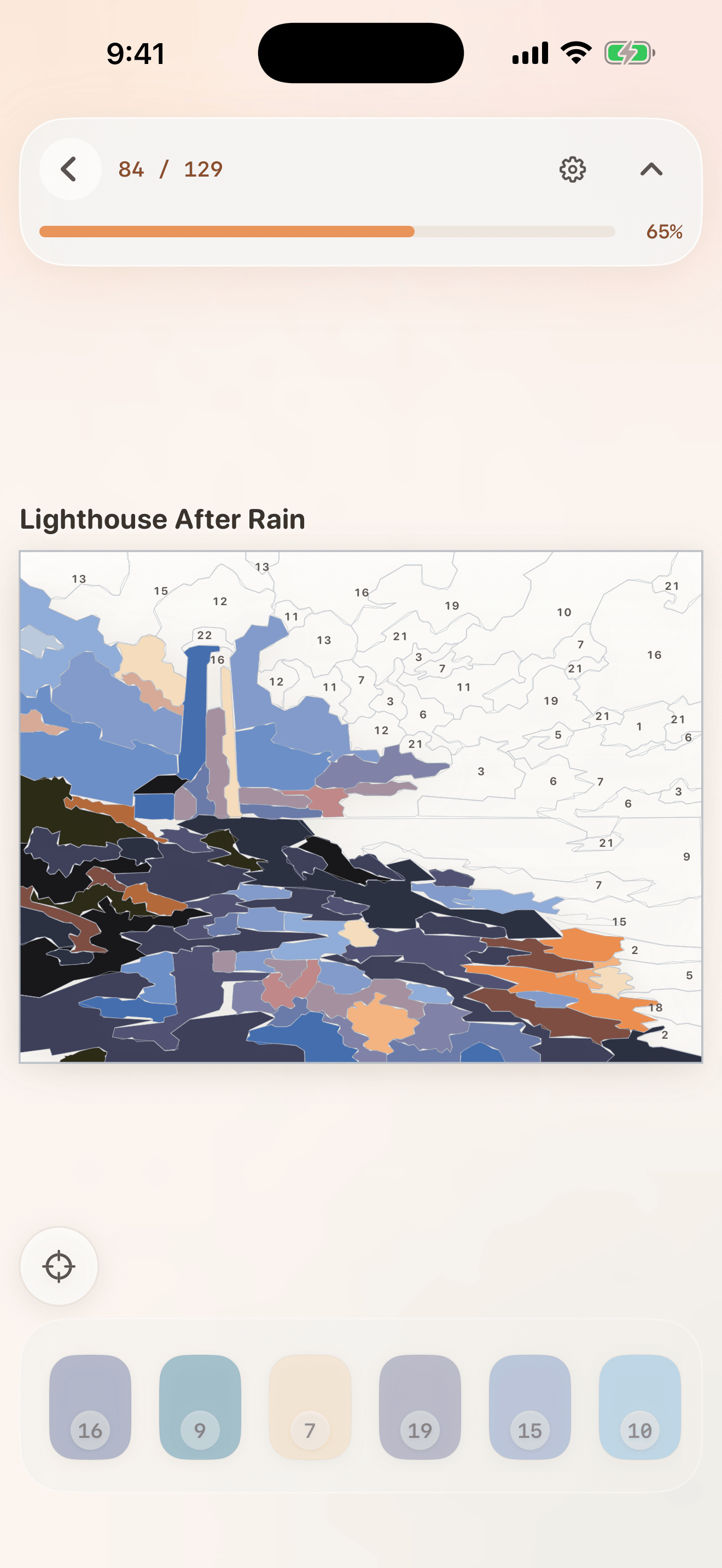
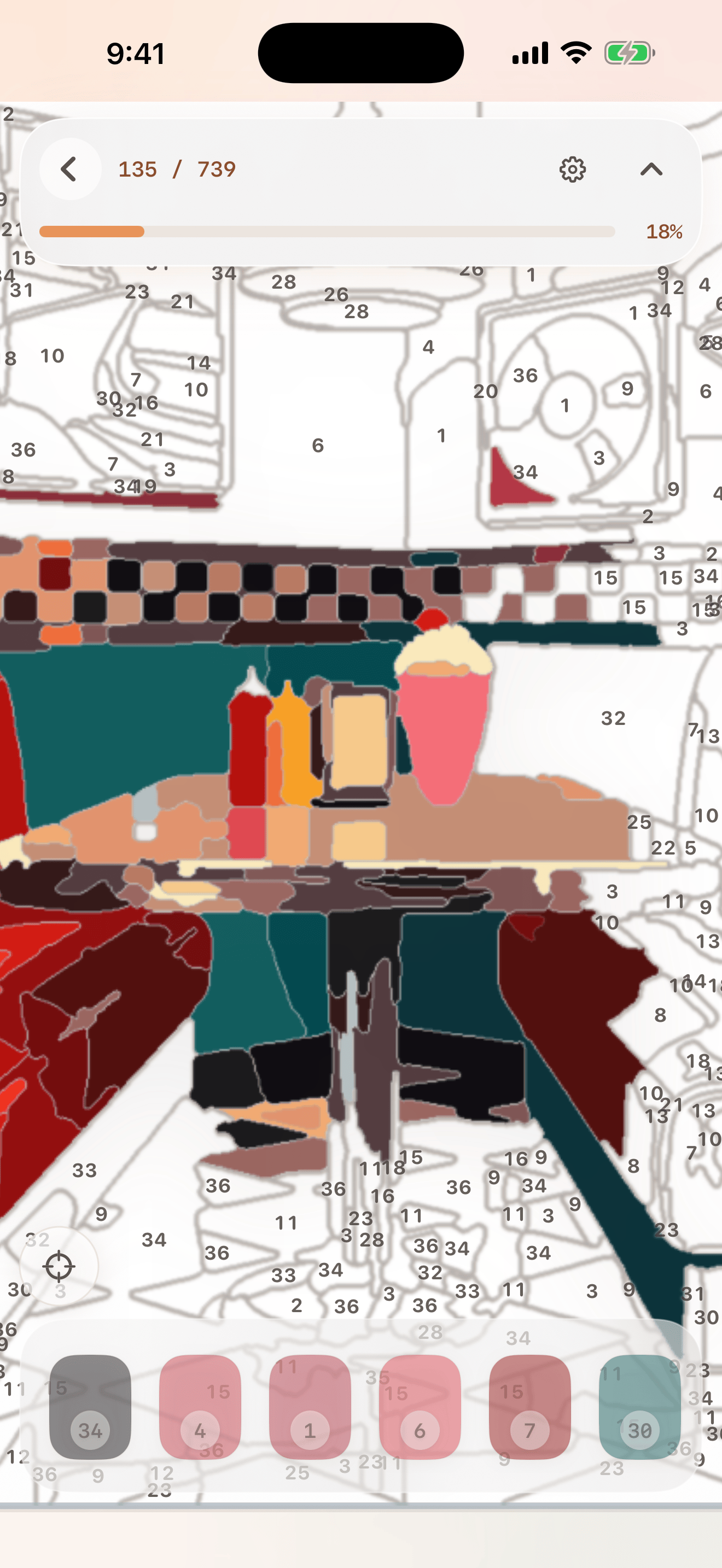
Numbers appear when you zoom in, stay crisp while you work, and disappear from painted regions.
Smart palette
Sort by number or useful visible area, keep selected colors close, and see completed colors check off as you paint.
Auto and Pick modes
Use Auto mode for effortless coloring or Pick mode when you want a more puzzle-like paint-by-number challenge.
Find Remaining
Jump to the nearest unfinished region so the end of a detailed painting stays satisfying instead of frustrating.
Screenshots
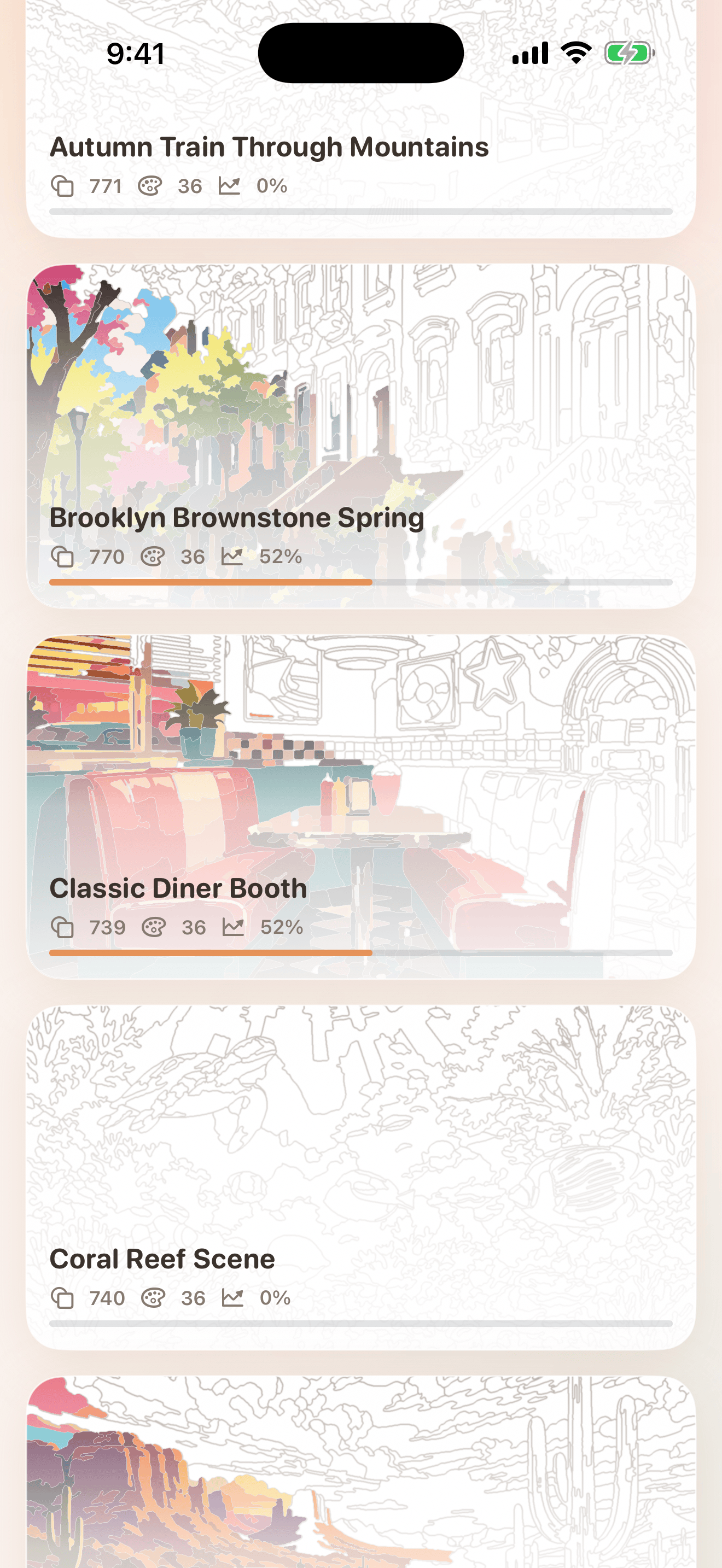
Choose, zoom, paint, finish
The app is designed for quick iPhone sessions and spacious iPad painting.
Privacy
No ads. No tracking. Just color.
Local progress
Your painting progress, preferences, and completed artwork state stay on your device.
No account required
hue. does not need a login, cloud account, social feed, or backend profile.
Curated first version
The public app focuses on a polished built-in library, not user-generated image uploads or a cloud project system.
How it works
Three simple steps
Pick a painting
Choose from Easy and Hard artwork cards in the gallery.
Zoom and paint
Tap regions in Auto mode or choose a color first in Pick mode.
Finish the scene
Use Find Remaining near the end, then enjoy the completion reveal.
FAQ
Questions people ask
The first version includes 41 curated paintings: 20 Easy levels and 21 Hard levels.
Yes. hue. supports iPhone and iPad, including portrait and landscape painting.
Yes. Auto mode fills tapped regions with the correct color. Pick mode is available when you want more of a puzzle.
Yes. Progress saves locally and appears in the painting canvas, gallery thumbnails, counts, and progress bars.
No. hue. has no ads, tracking, analytics, accounts, subscriptions, or in-app purchases. Progress stays on your device.
No. The first public version focuses on a curated painting library so the experience stays polished and reliable.
hue. zooms out, celebrates completion, and reveals the clean source image over the completed paint-by-number artwork.
ଅଧିକ ଆପ୍ସ
ଅଧିକ ଉପଯୋଗୀ ଛୋଟ ଟୁଲ୍
Big Pants Apps ର କିଛି ଅନ୍ୟ ଛୋଟ ଆପ୍ ଯାହା ଦୈନନ୍ଦିନ ବ୍ୟବହାରିକ କାମ ସମାଧାନ କରେ।
ପୂର୍ଣ୍ଣ-ସ୍କ୍ରିନ୍ ବାର୍ତ୍ତା ଆପ୍ for bright, readable signs from your phone.
ଗର୍ଭାବସ୍ଥା ଟ୍ରାକର୍ ଆପ୍ for week-by-week growth, practical milestones, and private notes.
ବ୍ଲାକଜ୍ୟାକ୍ ମୂଳ ରଣନୀତି ଟ୍ରେନର୍ for fast decision practice and local progress.
ଖାଦ୍ୟ ଲେବେଲ୍ ସ୍କାନର୍ ଆପ୍ for nutrition, ingredients, allergens, and saved food history.
ଯାଦୃଚ୍ଛିକ ସଂଖ୍ୟା ଜେନେରେଟର୍ ଆପ୍ with dice, wheels, coins, pickers, teams, and history.
poker trainer app for preflop ranges, postflop equity, hand rankings, and pot odds.
2048 puzzle game for launching number blocks, merging chains, and saving local progress.