Open Scan, center the barcode in the frame, and hold steady. Use the torch in low light, and try Search if the barcode is damaged, reflective, curved, or too small.
What I Eat Support
Help, basics, and contact information
Help for scanning food and reading labels.
What I Eat is built for barcode scanning, product search, nutrition context, additive and allergen signals, favorites, and local scan history. This page covers the basics and how to reach us.
Quick guide
Using What I Eat
After a successful scan, review the partial product card. Expand it for Product Detail, or keep scanning when the quick summary is enough.
Search supports product names, brands, multi-word queries, and barcode text when the package is not nearby.
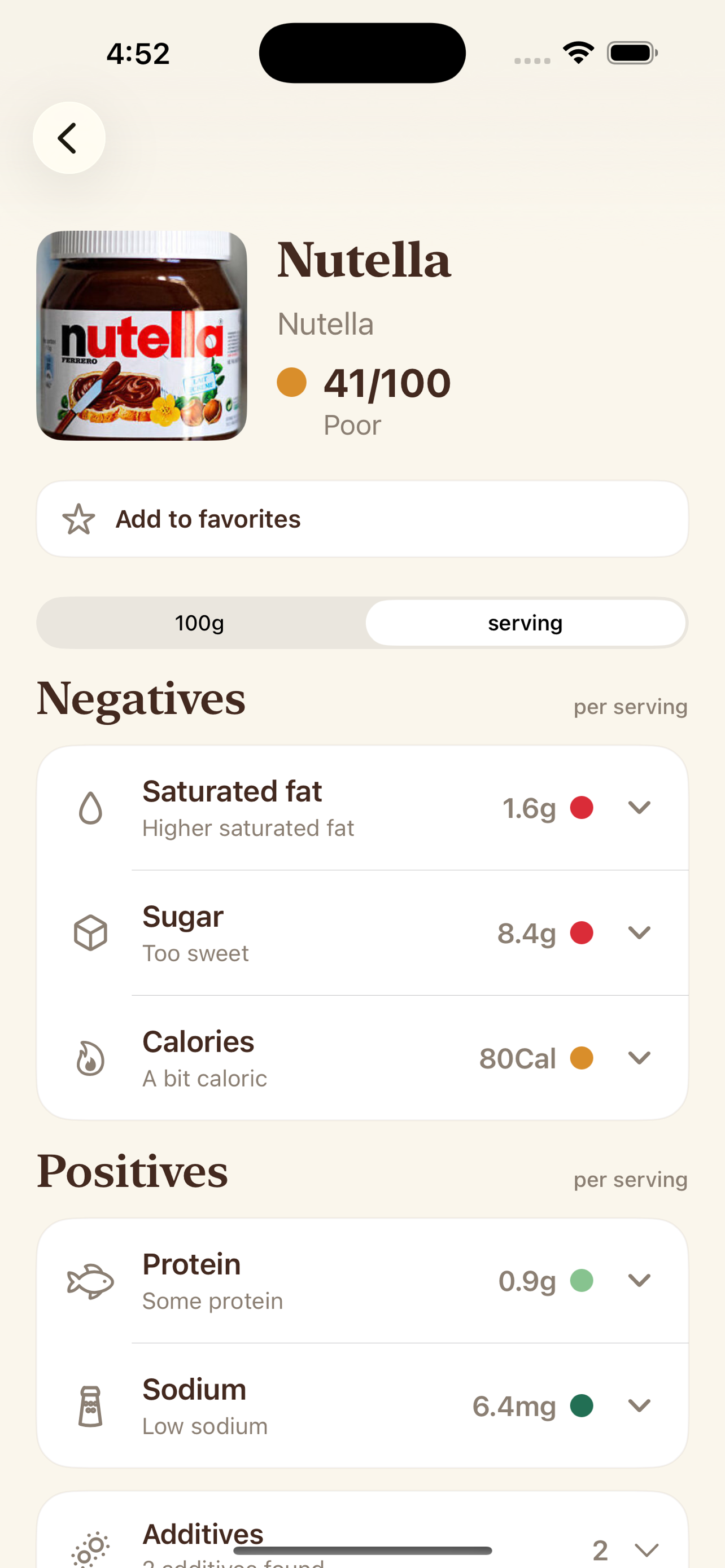
Switch between 100g/ml and serving views, then expand nutrient rows to understand why sugar, sodium, saturated fat, calories, or protein may stand out.
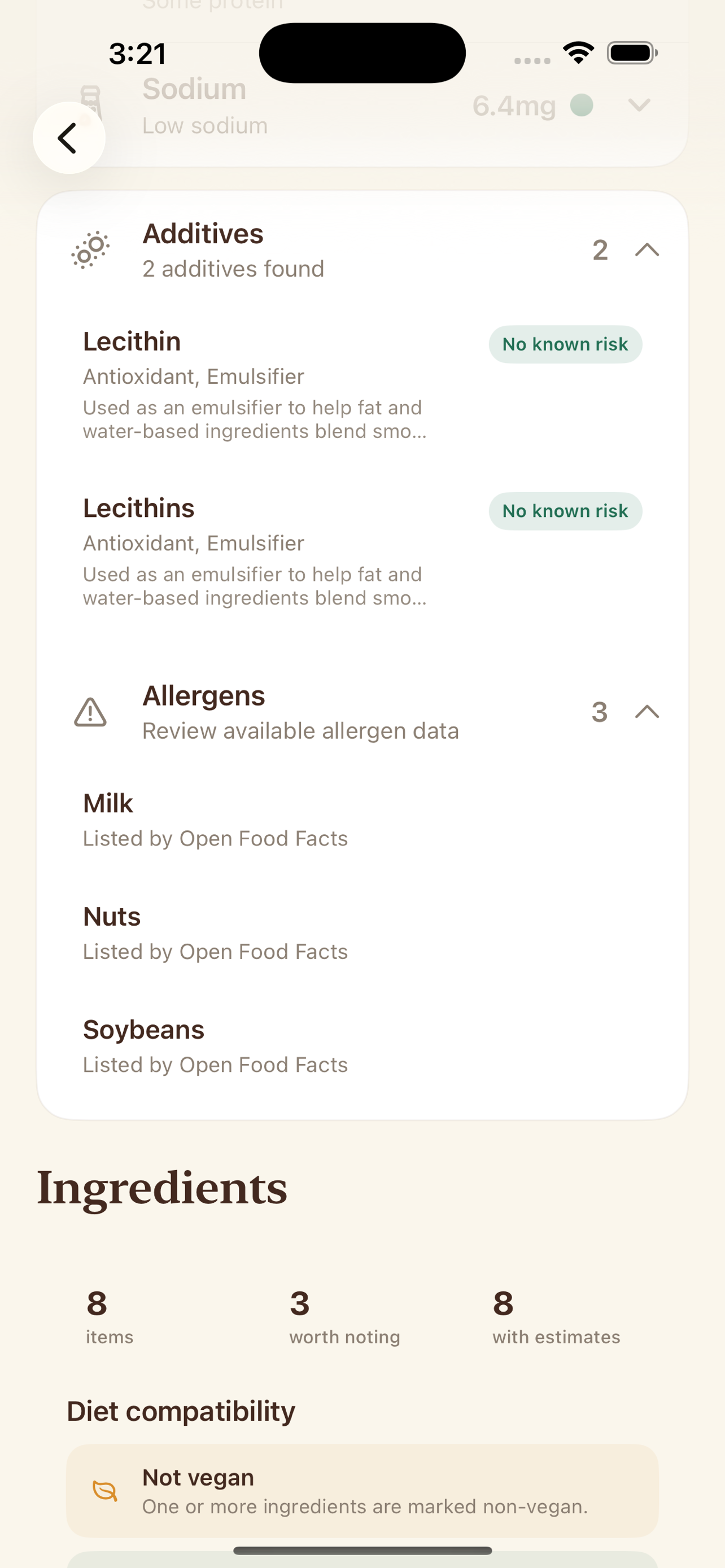
Open expandable sections for additive details, allergen signals, raw ingredient text, structured ingredient explanations, and ingredient-combo notes.
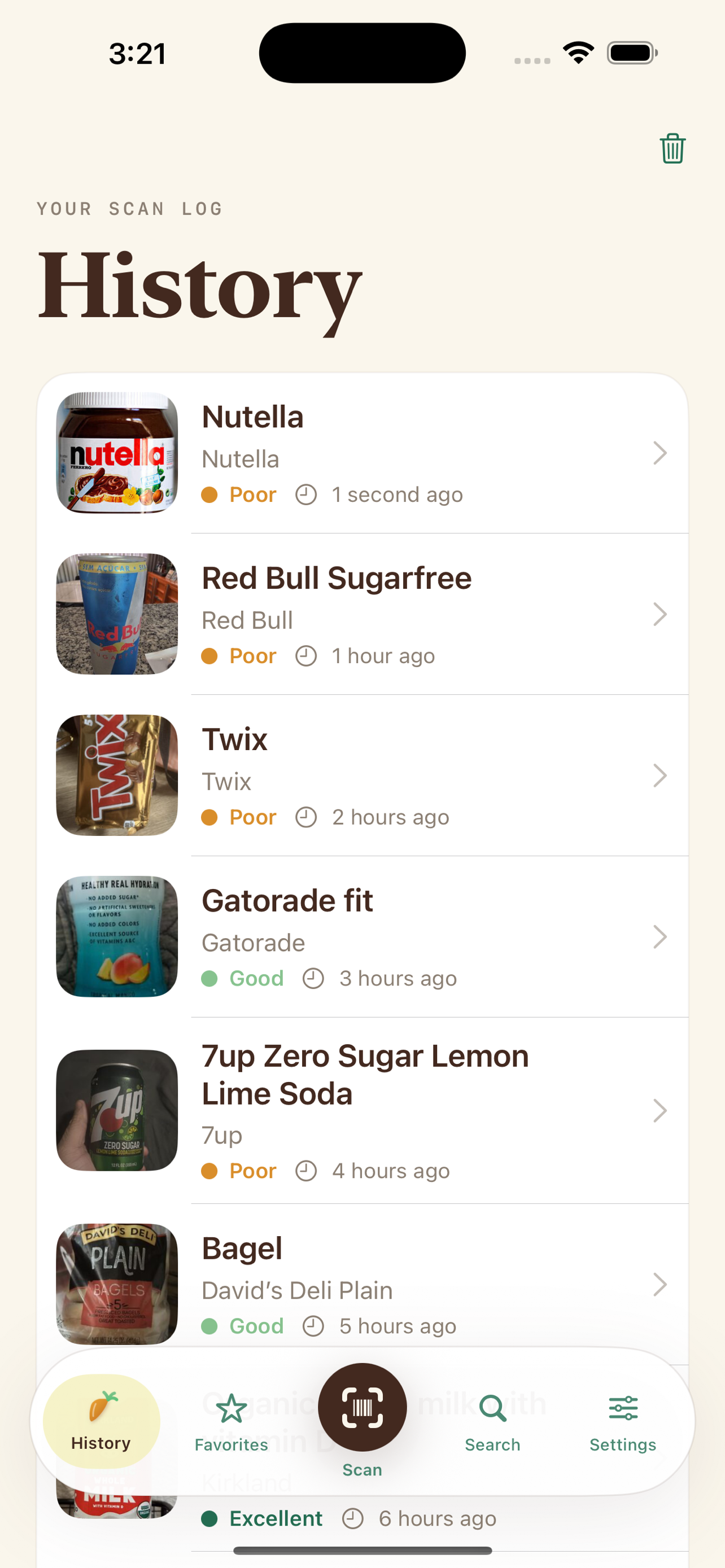
Save products you want nearby and revisit recent scans from local history. Duplicate lookups move back to the top instead of filling the list repeatedly.
Product Detail
What to look at first
A product page is a consumer report, not just a score.
Score and basics
Start with product image, name, brand, score, and score label. Missing data can affect score confidence.
Nutrients
Review positives and negatives, switch nutrition basis, and expand nutrient rows for threshold context.
Additives
Check additive names, function, risk label, reasons, and source links where reference data is bundled.
Allergens
Use allergen signals as a helpful warning layer, not as your only safety check.
Ingredients
Read raw ingredient text and structured ingredient explanations when available.
Preferences
Enable palm oil, gluten, lactose, pork, or soy preferences in Settings to surface possible conflicts.
Visual guide
Scan, review, and compare
These screens show the core flow: product nutrition, ingredient details, and saved lookups.
Troubleshooting
Things to try first
Try scanning again in better light, search by product or brand name, or search the barcode text. Some products are not in the product data yet.
Confirm camera permission, improve lighting, avoid glare, move closer or farther until the barcode focuses, and use Search if the label is damaged.
Product records are based on Open Food Facts and can be user-contributed, incomplete, outdated, or different by region. Check the package for the final word.
Preference warnings use product tags and ingredient text, so they can produce false positives or miss signals. Treat them as prompts to inspect the label.
Do not rely on the app as your only allergy or medical-diet check. Always read the physical label and follow professional guidance.
History and favorites are local to the device. Reinstalling, clearing app data, or changing devices can remove them.
Contact
Still need help?
Email info@bigpantsapps.com and include your device model, iOS version, app version if available, the barcode or product you searched for, and a short description of what happened.
For allergies, medical diets, pregnancy, or nutrition decisions, verify the product package and contact a qualified professional when needed.
For privacy details, read the What I Eat privacy policy.