Fast barcode scan
Open the scanner, aim at a packaged-food barcode, and review a product summary before expanding into full details.
What I Eat helps you understand packaged foods before they become a habit. Scan barcodes, search products, and see nutrition, additives, allergens, ingredients, serving-size context, favorites, and scan history in one calm view.
Built for the aisle, kitchen, and pantry moments when you want to understand what stands out before a product becomes routine.
Open the scanner, aim at a packaged-food barcode, and review a product summary before expanding into full details.
Search by name, brand, multi-word query, or barcode when you do not have the package in front of you.
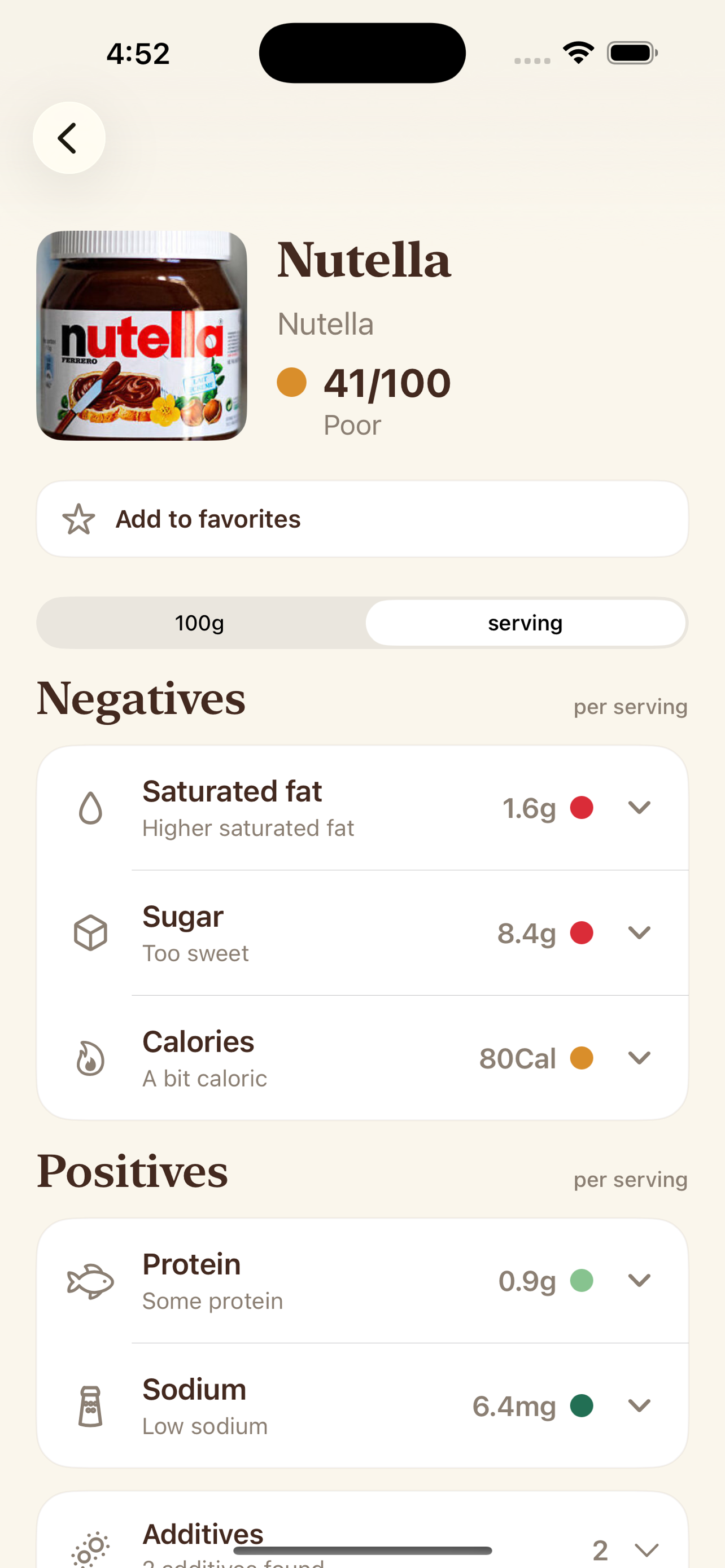
Compare sugar, sodium, saturated fat, calories, protein, and more by 100g/ml or serving, with context for high, moderate, and low values.
Inspect additive names, usage summaries, risk labels, and source-backed reasons when reference data is available.
See allergen signals and optional warnings for palm oil, gluten, lactose, pork, soy, and other food-preference conflicts.
Revisit recent lookups, de-duplicated local history, and saved favorites without creating an account.
Scan a barcode, read the partial product card, then keep scanning or expand the sheet when something deserves a closer look.
Open Product Detail to review score, nutrient groups, serving basis, additive detail, allergens, raw ingredient text, and ingredient explanations.
Use local Favorites for products you trust, products you want to compare later, or products you want to remember to avoid.
English App Store screenshots showing nutrition, additives, ingredient context, history, and settings.
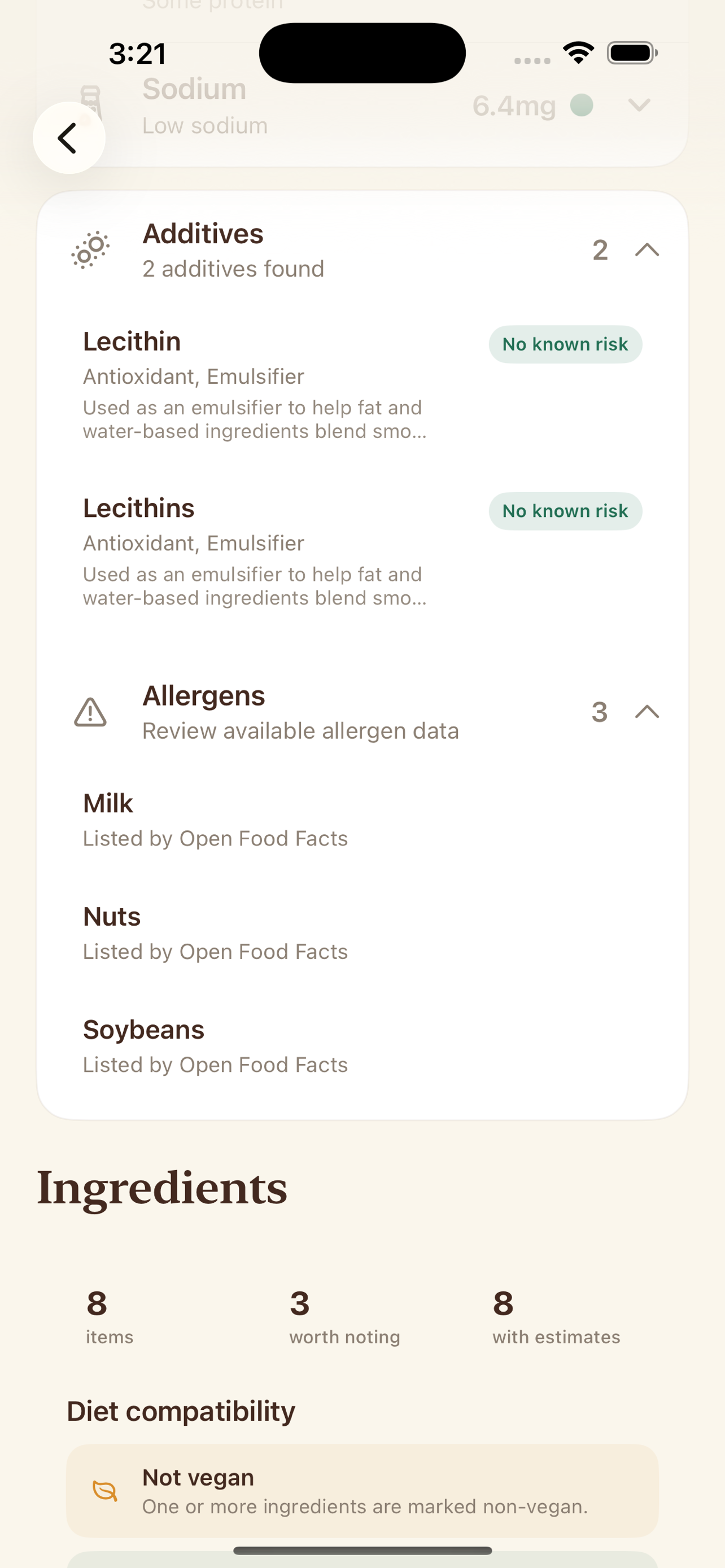
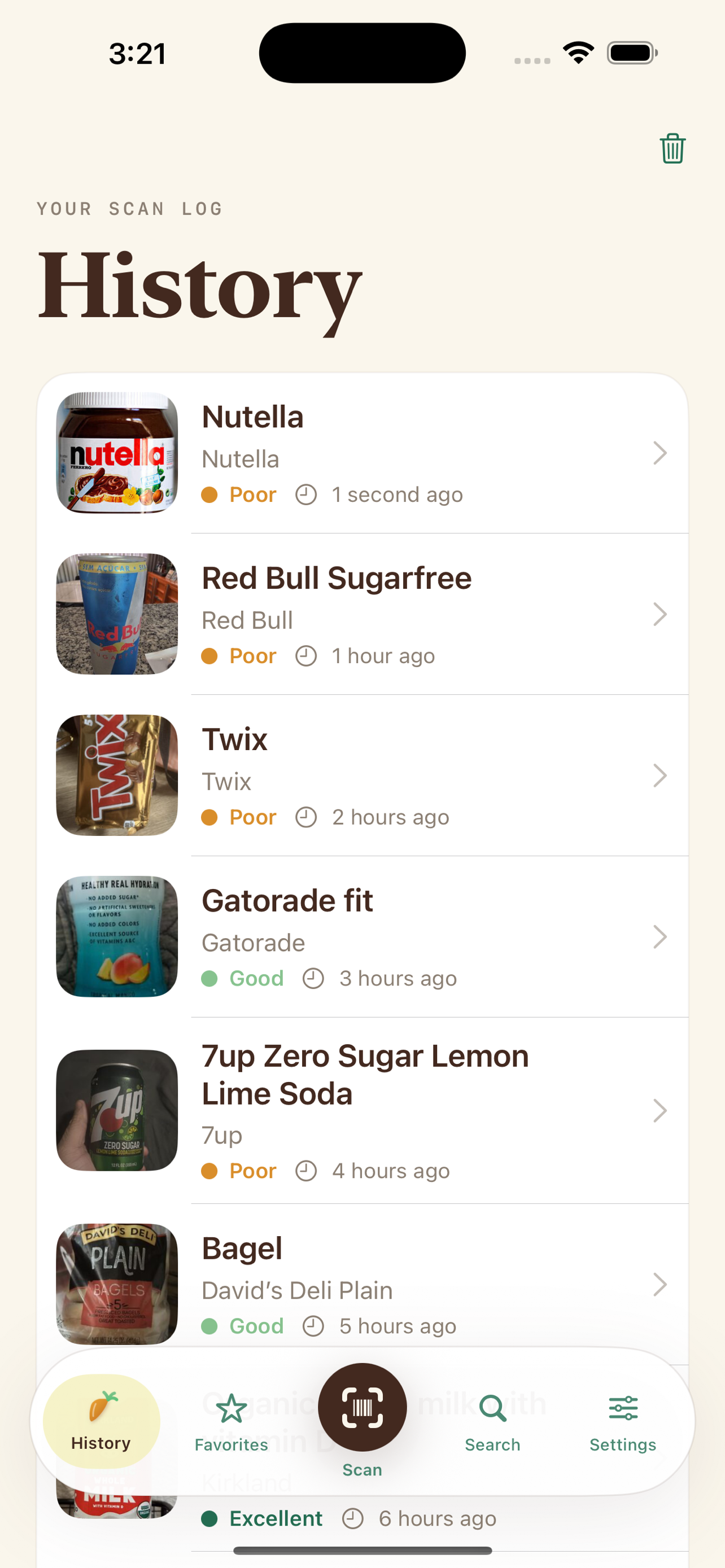
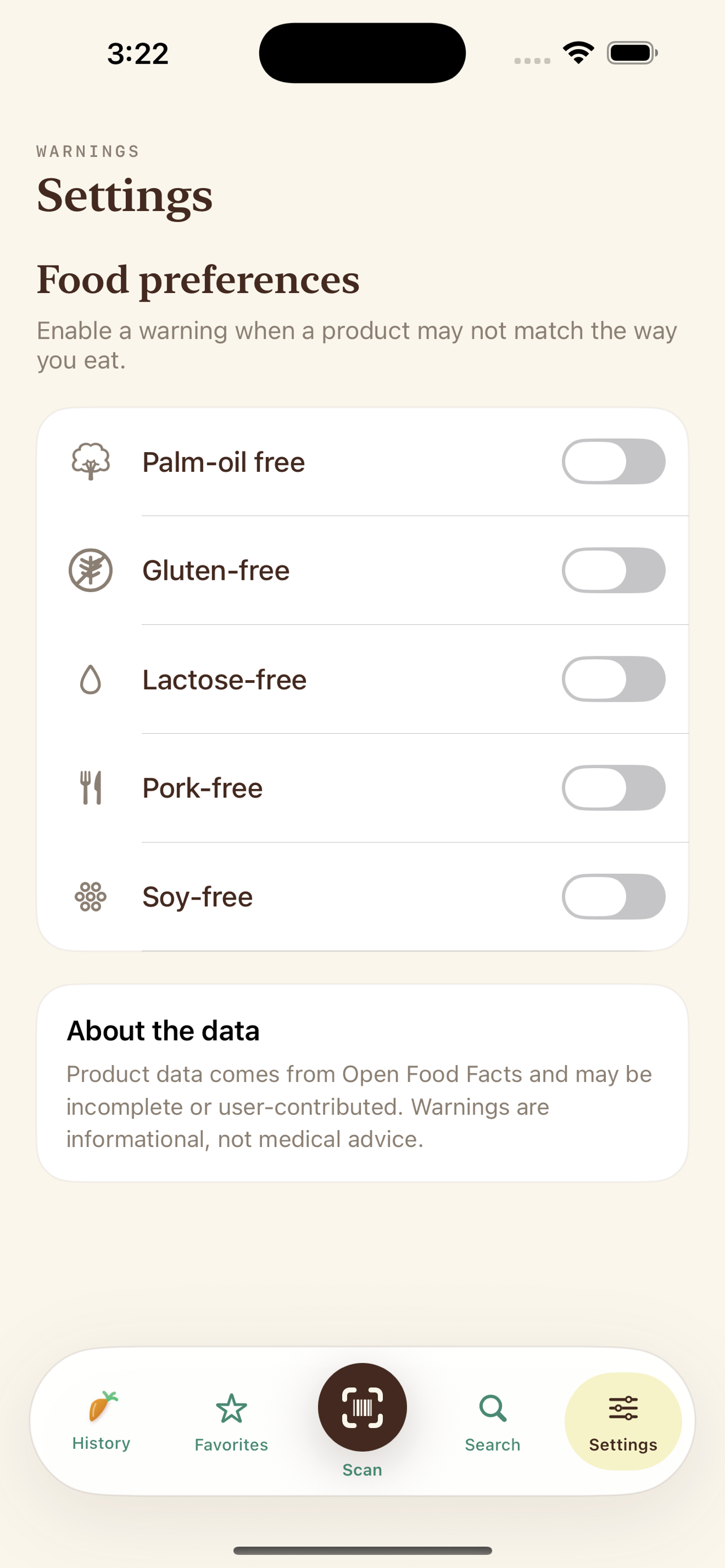
Expandable additive rows can explain what an additive is used for, why it may be flagged, and where the reference comes from.
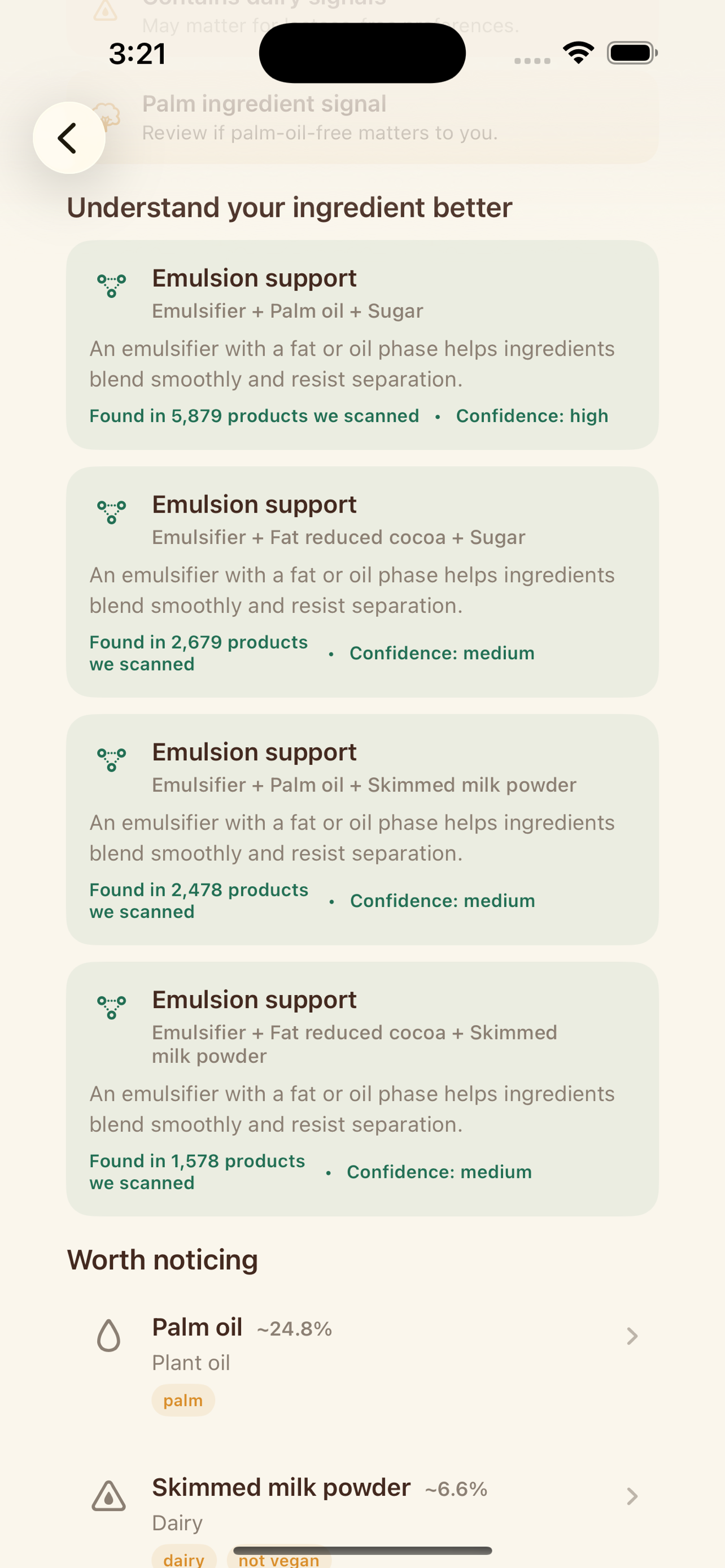
When available, What I Eat shows ingredient roles, estimated shares, dietary signals, and plain-language explanations.
Combo insights can explain why ingredients appear together, such as texture, stabilization, emulsification, or flavor balancing.
What I Eat is designed around transparency, attribution, and clear boundaries.
Product records, names, images, nutrition, ingredients, allergens, and tags are based on public product data that can vary in quality.
Bundled additive references, allergen labels, ingredient explanations, and combo insights help explain product data in plain language.
The app calls out missing or incomplete signals so scores, additives, ingredients, and warnings are easier to judge.
History, favorites, food preferences, and review prompt counters stay on your device instead of requiring an account.
Search, barcode lookup, and product images require network access because product data and images are not bundled offline.
Scores, warnings, additives, and allergens are informational. Always verify packaging and professional guidance for important decisions.
Use the camera scanner for packaged foods, or search by product name, brand, multi-word query, or barcode.
See score context, nutrient signals, serving basis, additive detail, allergens, raw ingredient text, and ingredient explanations.
Use favorites and scan history to compare foods, revisit common products, and keep useful lookups within reach.
Use it to scan food barcodes or search products to see nutrition, additives, allergens, ingredients, serving-size context, favorites, and scan history in one focused view.
Yes. What I Eat supports product search as well as barcode scanning, so you can look up foods when the package is not nearby or the barcode is hard to read.
The app can show nutrition by 100 g/ml or by serving, including context for sugar, sodium, saturated fat, calories, protein, and other available product details.
Yes. When ingredient data is available, What I Eat can show ingredient text, ingredient roles, additive references, and ingredient combination context.
Yes. The app can highlight preference warnings for things like gluten, lactose, soy, palm oil, or pork when available product data supports it.
The app can show allergen signals when they are available in the product record, but it should not be your only allergy check. Always verify the package label.
Product data is based on Open Food Facts and may be incomplete or user-contributed. What I Eat surfaces missing-data context so results are easier to interpret.
Yes. The scan flow is designed for quick store-aisle triage: scan, read the partial product card, and expand only when you want the full detail view.
They are optional Settings toggles that can warn when a product may conflict with palm-oil-free, gluten-free, lactose-free, pork-free, or soy-free preferences.
Yes. Nutrient rows can expand to show threshold context so values are easier to understand for the selected nutrition basis.
No. What I Eat is informational only. It is not medical, nutrition, or allergy advice, and packaging plus professional guidance remain the source of truth.
Yes. What I Eat includes favorites for quick comparison and scan history so you can revisit products you have looked up.
No. What I Eat is independent. It does not use Yuka data, and its product guidance is based on open food data and its own scoring approach.
A few other small apps from Big Pants Apps that solve practical everyday jobs.
full screen message app for bright, readable signs from your phone.
pregnancy tracker app for week-by-week growth, practical milestones, and private notes.
blackjack basic strategy trainer for fast decision practice and local progress.
random number generator app with dice, wheels, coins, pickers, teams, and history.
paint by number app for calm coloring, smart palettes, and saved progress.
poker trainer app for preflop ranges, postflop equity, hand rankings, and pot odds.
2048 puzzle game for launching number blocks, merging chains, and saving local progress.