Saved banners
Create reusable signs for common messages like pickups, meeting points, instructions, or event cues.
Flash Sign Banner turns your phone into a bright, readable sign when speaking is hard, awkward, too quiet, or just not the fastest option. Save common messages, style them, and present them full screen.
Flash Sign Banner is built around the moment you need someone across a room, curb, gate, or crowd to read your screen.
Create reusable signs for common messages like pickups, meeting points, instructions, or event cues.
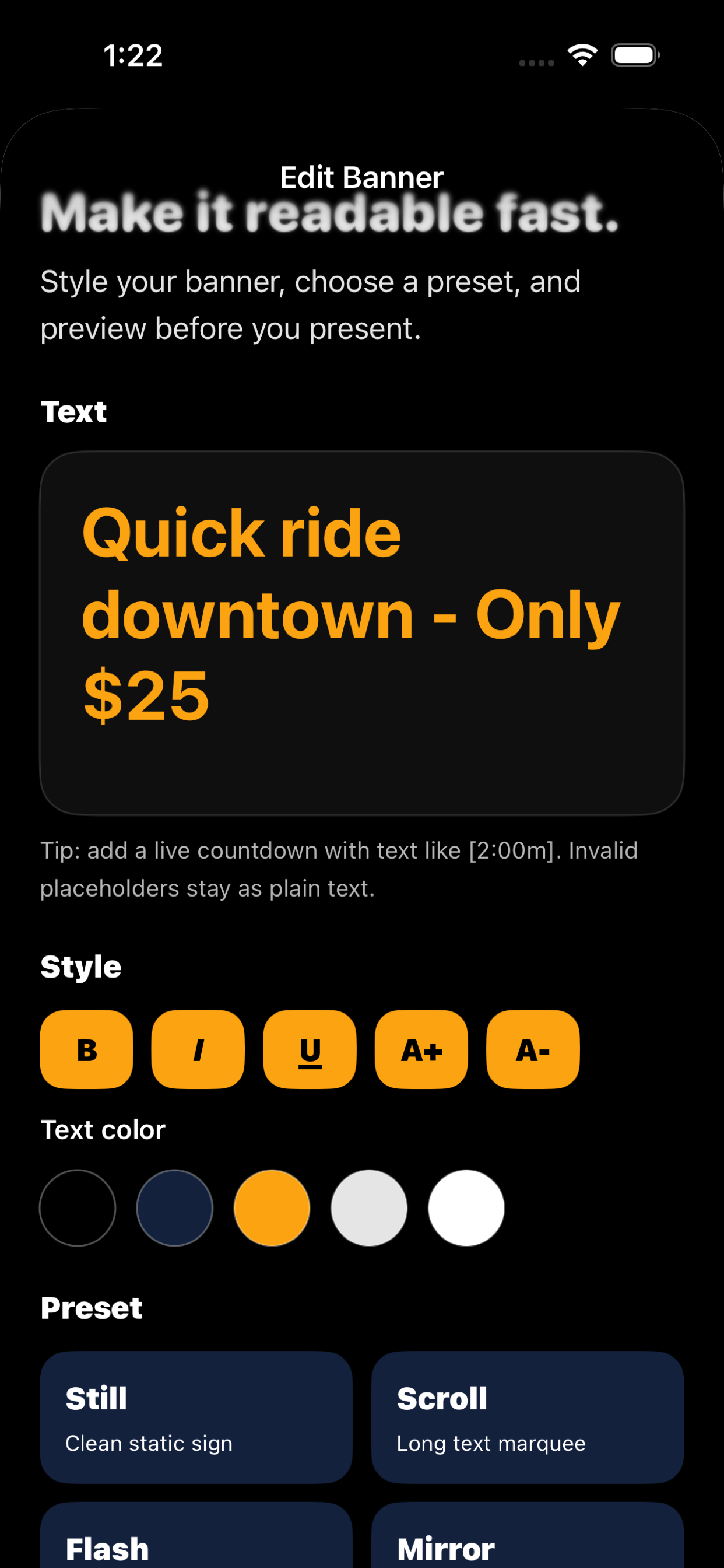
Adjust text size, style, color, and background using a focused palette built for high contrast.
Say “Hey Siri, show a sign in Flash Signs,” then tell Siri the banner text. You can also say “Make a sign in Flash Signs.”
Choose from Still, Scroll, Flash, Mirror, Big, Shake, Bloom, and Ripple for the right level of attention.
Type messages like “Back in [2:00m]” and Flash Sign Banner renders the countdown live during presentation.
Controls stay out of the way so the message is the hero, with deliberate actions for editing or exiting.
No backend is needed for the first version. Your saved signs live on your device unless you choose to share them.
Siri uses a quick two-step shortcut so your banner text is captured cleanly.
Hey Siri, show a sign in Flash Signs
When Siri asks for the text, say the message you want shown. The app creates a saved banner and presents it right away.
Hey Siri, make a sign in Flash Signs
Create a banner, style it quickly, and show it full screen from the app or Siri.



Flash Sign Banner is an iPhone banner app that turns your phone into a bright, full-screen text display. It is useful when you need a readable phone sign for pickups, events, classrooms, crowds, queues, or quiet communication.
Yes. Flash Sign Banner is designed to work offline. Saved banners stay on your device, and no backend is needed to create, edit, or present signs.
Yes. On iPhone, say Hey Siri, show a sign in Flash Signs or Hey Siri, make a sign in Flash Signs. Siri asks for the banner text, then Flash Signs creates and opens the banner full screen.
Flash Sign Banner can be used for airport pickup signs, rideshare handoffs, classroom instructions, event check-in, booth labels, queue signs, concert crowds, and other moments where a large readable message works better than speaking.
No. Flash Sign Banner does not collect data, does not use analytics, and does not show ads. Banners are stored locally on your device.
Yes. Flash Sign Banner is iOS-only at launch and is available through the App Store.
Unlimited saved banners are available through Apple in-app purchase. No subscription. No ads.
A few other small apps from Big Pants Apps that solve practical everyday jobs.
pregnancy tracker app for week-by-week growth, practical milestones, and private notes.
blackjack basic strategy trainer for fast decision practice and local progress.
food label scanner app for nutrition, ingredients, allergens, and saved food history.
random number generator app with dice, wheels, coins, pickers, teams, and history.
paint by number app for calm coloring, smart palettes, and saved progress.
poker trainer app for preflop ranges, postflop equity, hand rankings, and pot odds.
2048 puzzle game for launching number blocks, merging chains, and saving local progress.